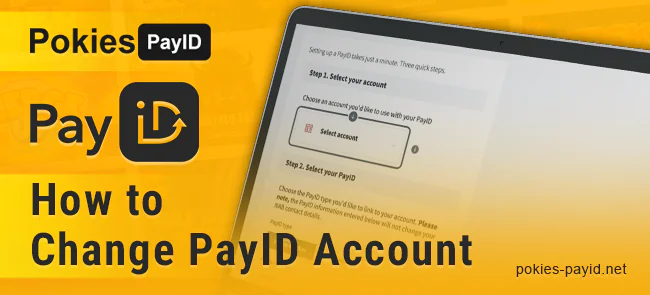
How to Change PayID Account
Having a PayID account for your online casino gambling and other needs is a bonzer solution, but sometimes, you may need to change it. The reasons can vary. For example, you might want to move to another bank and set up a new account. Perhaps you’ve decided to change your contact information and need a PayID update. Alternatively, you might suspect fraud or other security issues with your account. Anyway, you always have a fair go at changing it. So, give it a burl with our detailed instructions.
Step-by-Step Setup Instructions
You can be confident that all your payments are directed to the most relevant and secure place, and your moolah is safe and sound when you change your PayID account. No worries—you can make several changes to it, although some details may depend on your bank.
How to Change the Linked Bank Account
Moving your existing PayID to another bank account in full is reasonable when you switch institutions, consolidate accounts, or upgrade your account for ripper terms and options. Here’s how you can do it:
- Open your banking app or the bank’s website and log in to your profile.
- Go to Settings or PayID Management.
- Choose the option to unlink your PayID (it may be “Remove PayID” or “Delete”).
- Log in to the bank where you plan to use your PayID.
- Enter the identifier and register your PayID with the account you need.
- Use the verification code sent to your PayID and confirm the action.
How to Change the Identifier
Your PayID is a corker, but you may want to select another piece of contact information as an identifier for more convenience or privacy. Just follow these steps:
- Unlink the outdated email address or phone number from your bank account.
- Enter the PayID Management section.
- Add the identifier you prefer.
- Confirm changes to your PayID using the verification code you receive.
How to Update Personal Information
Your legal name or other contact details linked to your PayID have changed, and you think it’s reasonable to update them properly? Too right. Here are the instructions:
- Enter your bank account and go to Settings or Profile.
- Update your personal data as needed.
- Assign a new identifier to your PayID if necessary.
- Confirm all changes via SMS or email.
How to Temporarily Suspend or Deactivate a PayID
PayID suspension usually means that its owner doesn’t want to use it for some time or suspects some bad activity there. See how you can deactivate it:
- Sign in to your bank account.
- Switch to the PayID Management section.
- Select the PayID for suspension and click “Deactivate” or “Suspend.”
- Confirm the action to leave your PayID inactive until you need it again.
How to Transfer PayID Between Accounts
Transferring a PayID from one account to another within the same bank is bonzer if you want to consolidate them. You can also do it in a few steps:
- Open your bank app or website and log in.
- Navigate to the PayID Management section.
- Transfer your current PayID to the target account using the appropriate option.
- Confirm and verify the transfer.